

Write it once. Your guest from Milan reads it in Italian.
STRYK Translate automatically translates your guest content into every language you switch on for guests: rooms, rates, cancellation policies, booking and finance emails, guest portal, online check-in, kiosk, templates and job ads. When the source text changes, STRYK translates it again. For your team, we built STRYK itself in 18 interface languages.
21 content types
From room category to job ad, translated automatically.
Up to 18 guest languages
You decide which languages guests see your content in.
Progress you can see
STRYK shows which text areas are done and what did not work.
18 team languages
Everyone picks their own interface language, right at login.
A new rate is ready in every guest language.
Create the Deluxe Mountain View category or change your cancellation policy, and STRYK Translate translates the texts in the background into every active guest language. The booking engine shows your guest from Milan the Italian version, even if nobody on your team speaks Italian.
- Room categories, amenities and rates
- Cancellation policies, discounts and services
- Upsells, voucher shop and products
- Booking page and corporate agreements
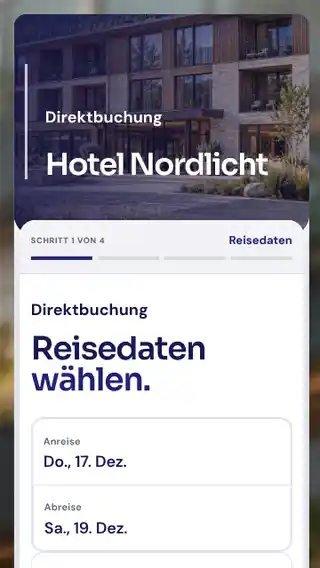
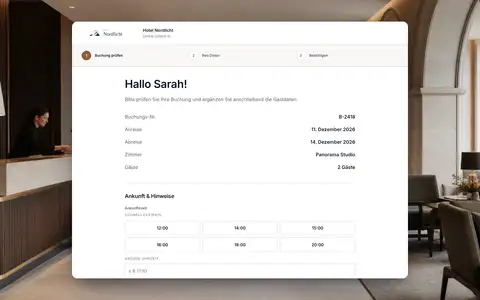
Emails, check-in and kiosk speak the guest's language too.
STRYK Translate handles booking and finance emails, including the footer, just like the guest portal, online check-in and kiosk. Templates and automation texts go through the same process. Even job ads and your careers page appear in every active language.
- Booking and finance emails, footer
- Guest portal, online check-in and kiosk
- Templates and automations
- Job ads and careers page
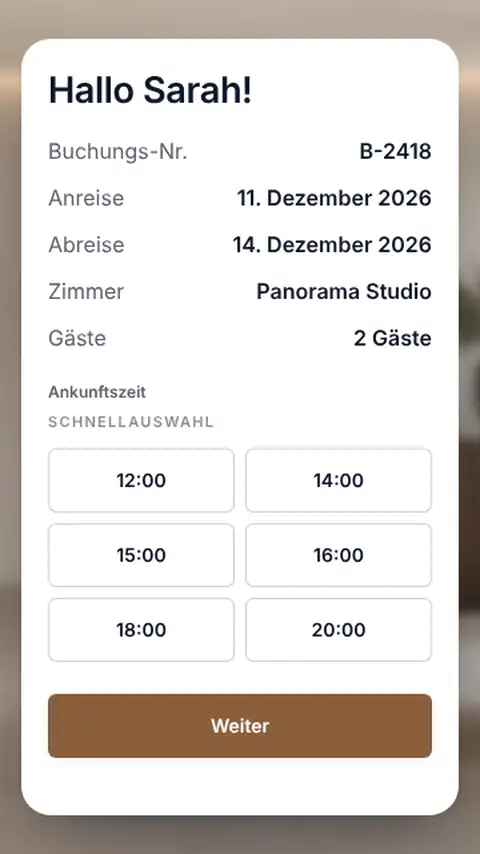
You see what is translated. Nothing outdated stays live.
A status display shows progress for each text area. When a source text changes, STRYK discards the old translation and creates a new one. If a translation does not work, STRYK names the language, area and reason and retries automatically or when you click.
- Progress per text area
- New translation when the text changes
- Errors with language and area
- Automatic or manual retry
Front desk in English, housekeeping in Ukrainian, one shared plan.
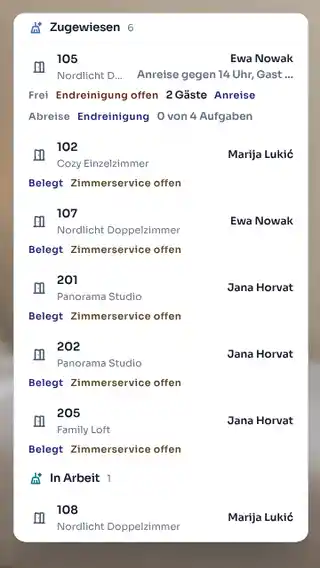
The STRYK interface is available in 18 languages. Everyone chooses their language before they even log in, STRYK remembers it on their account, and the hotel language applies to anyone who has not chosen. You can print the housekeeping day plan as a PDF in 18 languages.
- 18 interface languages
- Personal language per account
- Hotel language as the default
- Housekeeping plan as a PDF in 18 languages

Who works with it.
Owners and management
Write content once and switch on the guest languages the property needs.
Guests
Book, check in and read emails in their own language.
International team
Works in their own language on the same bookings and rooms.
Part of your complete system.
We translate where your content already lives: right inside STRYK.
Common questions: Multilingual STRYK
How many employee languages does STRYK support?
The signed-in STRYK interface supports 18 languages: German, English, Hungarian, Italian, French, Croatian, Czech, Polish, Romanian, Slovak, Dutch, Swedish, Danish, Spanish, Portuguese, Slovenian, Bulgarian and Ukrainian.
Can I choose language at login?
Yes. The language picker is available before sign-in so employees can use STRYK in a familiar language from the start.
What is the property language?
The property default is the shared fallback for users without a personal choice and processes without an explicit language.
Can every employee choose a personal language?
Yes. Personal user preference can differ from the property default and is stored on the user account.
Which language applies after sign-in?
Personal preference first; if none is set, the property default. The effective language loads with the session.
Does the language remain selected at the next login?
Yes. For signed-in property users, language choice belongs to the personal account and is available again at the next login.
Show more questions
Does my employee language change guest copy?
No. Internal interface, public guest copy and document language are separate decisions. An employee working in English does not accidentally publish English room copy.
Which languages does the public booking page have?
The booking page can offer all 18 STRYK languages. The hotel switches each language on deliberately as soon as room descriptions, terms and mandatory content have been maintained for it.
Are room descriptions multilingual?
Yes. Room categories hold short and long descriptions per guest language, in all 18 STRYK languages, as central room data.
Are amenities multilingual?
Yes. Public amenity names are maintained per guest language and used by the booking page.
Are booking engine emails multilingual?
Yes. Confirmation and cancellation copy is maintained per event and active guest language.
Which languages do invoices and quotes support?
Invoices and quotes can be issued in all 18 STRYK languages.
Can I choose document language per output?
Yes. Preview, download, print and sending use the deliberately selected language for the same process.
Is the housekeeping plan multilingual?
Yes. The daily plan can be produced in all 18 STRYK languages. Preview and download stay in the chosen language.
Who may change the property language?
Only a property user with settings management permission. The change is recorded in the activity log.
May everyone change their personal language?
An active signed-in property user can change personal preference without switching the whole property default.
Do dates and numbers adapt?
Employee language is linked to an appropriate locale so dates, numbers and other regional formats can be displayed clearly.
What happens with an unsupported language?
STRYK offers only fully supported languages for selection, keeping the entire workspace clear and consistent.
Is a translated menu enough for a guest channel?
No. Room name, description, policies, extras, required copy and emails must be reviewed as one complete booking journey.
How does a multilingual team work together?
Everyone works on the same bookings, rooms and property states while reading navigation and interface guidance in their personal language.
Can support consider language?
Language and specific product area belong in a good support case. STRYK still separates personal interface from the operational property state.
Will more guest languages be added?
The guest pages already support all 18 STRYK languages. You decide which of them your guests see, language by language, as soon as texts, mandatory content and emails have been fully maintained.
Does multilingual support cost extra?
No. Employee languages, language selection and supported multilingual standard outputs are part of the single STRYK offer-with no setup fee and no hidden module price. External translation services may charge their own fees.
Switch on your next guest language.
Try STRYK for 14 days with your own property, or we will show you STRYK Translate in a demo.
