

Forty apartments, one calendar. And no more codes by WhatsApp.
In an apartment building, guests arrive without anyone at reception, often across several buildings or addresses. We built STRYK to keep identical apartments as one category with individual units, calculate price, final cleaning and long-stay discounts automatically, and give every guest exactly the access that belongs to their unit in the guest portal.
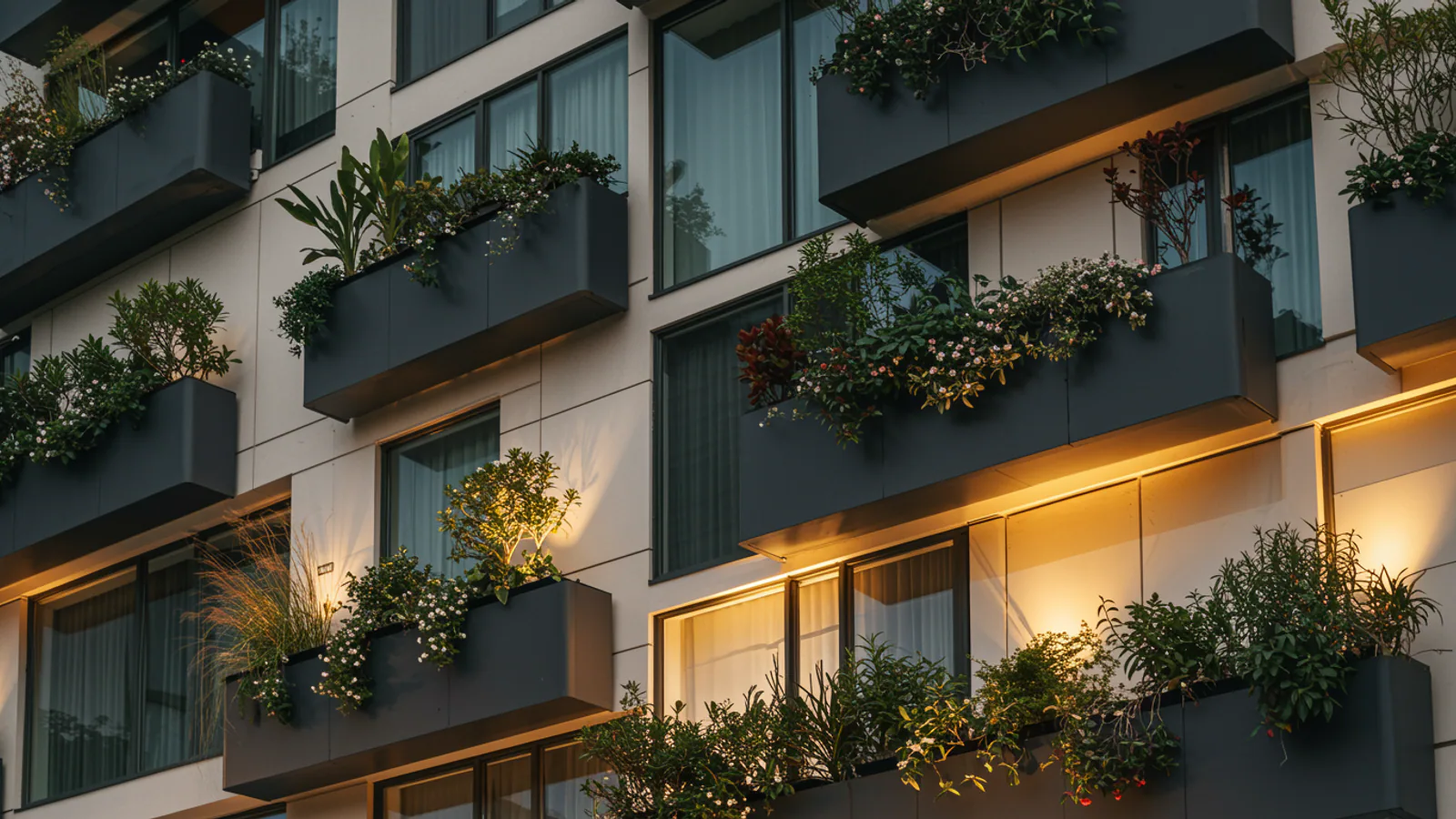
Categories with units
Maintain identical apartments once, each flat stays a unit of its own.
Access per unit
Directions, Wi-Fi and key box code appear shortly before arrival.
Final cleaning included
Mandatory final cleaning is its own line on the booking and invoice.
Long stays
Weekly discount from 7 nights, monthly from 28, calculated automatically.
Five identical studios, set up once, not five times.
An apartment-type category describes rooms, beds, bathroom, kitchen, floor and outdoor space. Each flat underneath is a unit with its own name in the calendar. Choose the Apartments property profile and new categories start with this type, while navigation and lists speak of units.
- Room layout with beds per room
- Check-in and check-out times per category
- Units active, inactive or archived
- Photos from the media library, cropped to fit

The price is per apartment. The rules apply to every booking.
You set one price per unit and night up to the base occupancy, with a surcharge for each extra person. STRYK checks seasonal minimum stays and permitted arrival and departure days at reception, on the booking page and in availability. When a guest stays longer, the weekly or monthly discount applies, never on top of a discount code: the better of the two wins.
- Extra-person surcharge, optional child rate
- Babies under two stay free
- Seasonal minimum stay
- Mandatory final cleaning as its own invoice line
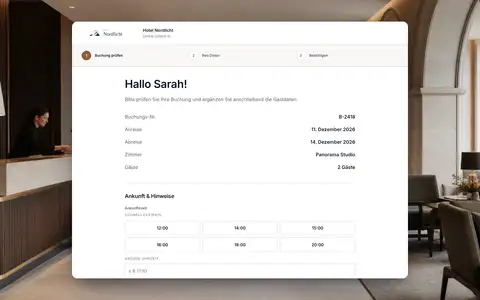
Guests find their apartment. Even at 11 pm, even in the annexe.
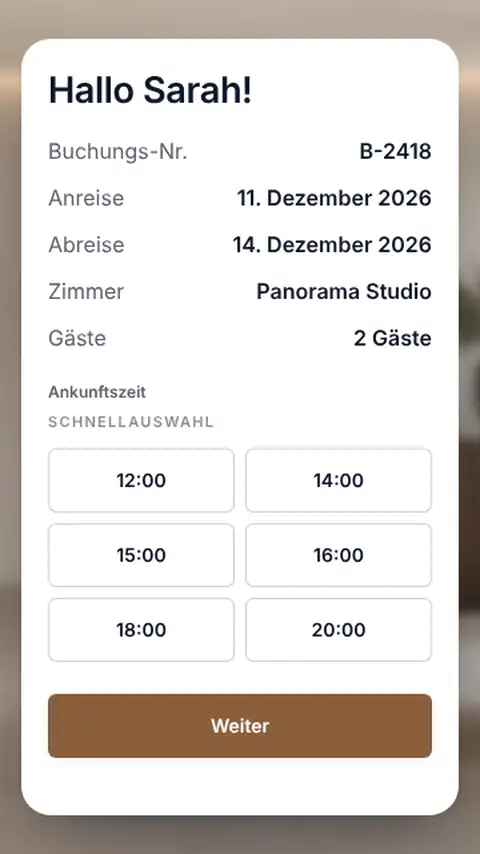
For each category or unit you store directions, house rules, Wi-Fi and the key box code. Guests see them in the guest portal only for a confirmed booking with an assigned unit, from the number of hours before arrival you choose, and if you like only after online check-in. Guests who prefer to check in on site use the kiosk at the entrance, which then shows the apartment number and code.
- Code and Wi-Fi password stored encrypted
- Every reveal is logged
- Separate directions for each unit
- Kiosk without staff login
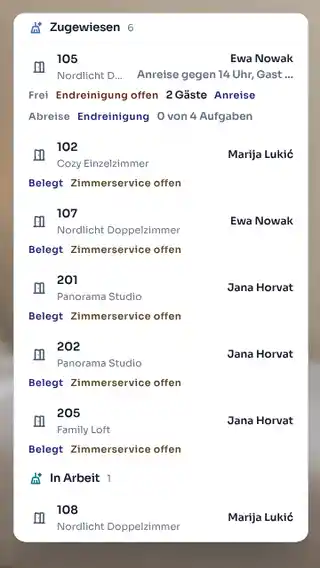
Check-out at 10, check-in at 3. Cleaning knows where to start.
The housekeeping plan puts units with a departure and a new arrival on the same day at the top. For occupied apartments you decide whether and how often mid-stay cleaning and linen changes happen; on days without service the plan says exactly that. No occupied apartment is flagged as needing service when it doesn’t.
- Final cleaning after every departure
- Intervals for mid-stay cleaning and linen
- “No service today” instead of a daily routine
- Status visible to reception and operator at once
From booking to departure.
A guest books three weeks in a studio without you ever meeting.
- 01
Booking
Unit price, weekly discount and final cleaning are fixed before the guest confirms.
- 02
Online check-in
Registration details, ID and signature arrive before the stay.
- 03
Access appears
At the time you set before arrival, the guest portal shows directions, Wi-Fi and code.
- 04
Cleaning to plan
Linen changes at your interval, final cleaning after departure.
Who works with it.
Operator
Maintains categories, prices and rules once and sees every building in one calendar.
Cleaning team
Works from the plan in the STRYK App and marks each unit as done.
Guest
Checks in online and finds access and house rules in the guest portal.
One apartment building, one system.
With us, units, arrival, cleaning and levies all work from the same booking.
Common questions: STRYK for apartment buildings
Is STRYK only for hotels?
No. Hotels are the core, but every category has a type: Room or Apartment. Apartment houses, holiday flats and mixed properties work in the same system.
Can I set arrival days?
Yes. You mark the weekdays on which arrival and departure are possible, for example Saturday to Saturday.
How does the guest see the access details?
In the guest portal, once the booking is confirmed and a unit is assigned. They appear at the time you set before arrival, if you wish only after online check-in.
How does cleaning work between two guests?
The cleaning plan is built from occupancy. Units with a departure and a new arrival on the same day are at the top.
Set up your first apartment and see what your guest sees.
Try STRYK for 14 days with your own units, or we will walk you through a changeover day in a demo.
