

Internet down, reception carries on. With Keep Going by STRYK.
STRYK Desktop puts STRYK on your front desk and back office computers as a program of its own. For the moment the connection drops, we developed Keep Going by STRYK: a complete, encrypted working copy of your hotel on the device, from bookings and guests to accounting. Your team keeps checking guests in, and STRYK then syncs every change with the server.
 Keep Going by STRYKIncluded with STRYK
- Windows
- macOS

Complete working copy
Read bookings, guests, rooms, team and accounting even when offline.
Keep working offline
Walk-ins, check-ins, room moves and draft invoices without internet.
Encrypted on the device
AES-256 per hotel and user, key held in the operating system’s store.
Clear limits
Numbers, payments, fiscal, reporting, channels, emails and AI run online.
Saturday, 3:40 pm, the router fails. The arrivals still turn up.
Every window shows at once how long STRYK has been offline and how many changes are pending. Reception sees the calendar and arrivals list as last synced, creates a walk-in, checks guests in and moves a guest to another room. Each change shows as pending in the plan until the server confirms it.
- Permanent offline notice in every window
- Create, edit and cancel bookings and walk-ins
- Check-in and check-out without an invoice
- Overbooking warning when creating a booking

Not just the last pages you opened. Your whole hotel, accounting included.
Keep Going by STRYK prepares every working view you have rights to: bookings, guests, rooms, housekeeping, rates, team, restaurant and gift vouchers. Accounting is part of it too, with journal, invoices, payments, bank and SEPA records, and tax and closing details. You create invoices and quotes offline as drafts and issue them once you are back online.
- Read accounting offline
- Draft invoices and quotes offline
- Issued invoice originals stored as PDF
- Tasks, handovers and leave requests offline

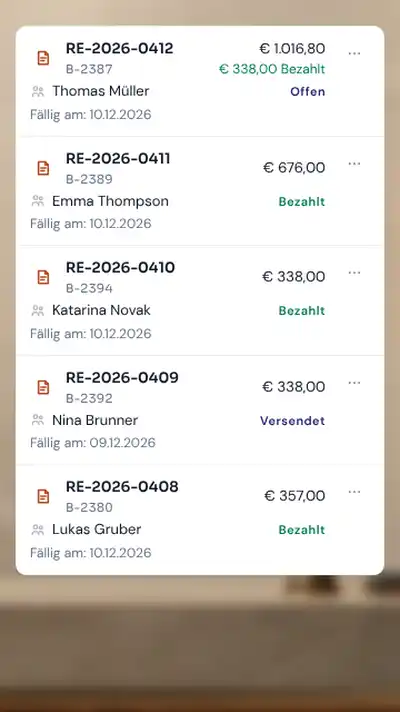
Anything that needs a number, a signature or an authority waits for the network.
Offline, STRYK deliberately issues no invoice numbers and takes no payments. Cash register and fiscalisation, guest registration with the authorities, channel updates, guest emails and AI all need a connection, as does publishing your website or rota. STRYK tells you beforehand which action has to wait.
- Invoice numbers and issuing online
- Payments, refunds and fiscalisation online
- Registration, channels, emails and AI online
- Publishing website and rota online
Back online, the server checks every change one by one.
When the connection returns, STRYK Desktop sends the pending changes in order, and the server checks price and availability for real. If the back office has changed the same booking online in the meantime, STRYK puts the case on the review list and an authorised person decides. We never overwrite anything silently.
- Review list for conflicts
- Independent contact and note fields merged automatically
- No double execution after a dropped connection
- Confirmed data stays visible during sync
A laptop goes missing. You lock it from the device list.
The working copy is encrypted with AES-256, separately for each hotel and user, and the key sits in the Windows or macOS key store. An admin locks the device or orders a wipe, and on its next contact STRYK Desktop removes the data, pending changes and sign-in. Without contact, offline work ends on its own after your hotel’s deadline.
- Offline period of 72 hours by default
- Read-only after that, then automatic wipe
- Card data, login details and ID images stay protected outside the device
- Signed updates
How Keep Going by STRYK gets onto the computer.
Once set up, STRYK Desktop prepares the working copy in the background.
- 01
Install and sign in
Install STRYK Desktop and sign in with Nextpulse ID. The device appears in the device list.
- 02
Prepare the working copy
STRYK stores your permitted views encrypted and shows when they are complete.
- 03
Keep working offline
During an outage your team keeps reading and recording, with each change pending.
- 04
Sync
Once connected, the server confirms the changes or puts conflicts on the review list.
Who works with it.
Reception
Keeps going on arrival day even without internet, with calendar and booking open side by side.
Back office and accounts
Reads the journal, open items and bank records offline and prepares draft invoices.
Managers and admins
Set the offline period, see every registered device and lock a lost one.
Part of your complete system.
We built STRYK Desktop with the same workflows as the browser. Offline, the working copy comes on top.
Common questions: STRYK Desktop for Windows and macOS
What can I do offline?
Read: calendar and room plan, bookings, guests, arrival and departure lists, room status, rota and the prices from the last online state. Record: create and change bookings, move rooms, cancel, check in and out, create and edit guests, room status and housekeeping tasks, room blocks and restaurant reservations.
What needs a connection?
Everything that needs a sequential number, a signature or an external party: numbered invoices, payments, cash register and fiscalisation, guest registration reports, channel transfer and emails to guests. You create invoices and quotes offline as drafts and issue them online. STRYK tells you beforehand when an action needs a connection.
How do I know I am working offline?
Every window shows a notice at the top that cannot be dismissed: since when STRYK has been offline, how many changes are pending and that the data shown may be out of date. The window title then reads “STRYK, OFFLINE”.
Does a booking created offline apply immediately?
It shows as “pending” in the plan, never as booked. After sync, STRYK checks availability and price bindingly. If the room has been taken in the meantime or the price has changed, the booking goes to the clarification list and you decide.
How secure is the data on the computer?
The local database is encrypted with AES-256, separately per user and hotel. The key is kept in the operating system’s key store: Credential Manager on Windows, Keychain on macOS. The device holds your hotel’s complete working copy for your role, including business IBAN and BIC, in encrypted form. STRYK Desktop does not store ID images, card data or login credentials.
How long can I work offline?
By default 72 hours from the last confirmation by STRYK; the hotel can set 24 to 168 hours. Twelve hours before, the offline notice reminds you to connect.
Show more questions
What happens to a blocked device?
If an admin blocks the device or orders a wipe, STRYK Desktop removes the local data, pending changes, sign-in and keys at the next contact. Every offline action can be traced in the activity log with the device ID.
What does STRYK Desktop cost?
STRYK Desktop is part of the STRYK base price of. There is no surcharge for the desktop app.
Do I need STRYK Desktop, or is the browser enough?
Online, you can use STRYK in any current browser. STRYK Desktop pays off on the computers at reception and in the office: it keeps working during an internet outage, opens several windows and prints directly.
How do updates arrive?
STRYK Desktop updates itself with signed updates. If STRYK needs a newer version, the program tells you.
What about the restaurant till?
Till postings run through the STRYK POS Bridge or the POS interface straight to STRYK, not through the desktop computer. STRYK Desktop shows the status of the POS Bridge.
Test the outage before it happens.
Try STRYK for 14 days with your property, or we will show you Keep Going by STRYK on a front desk computer in a demo.
