

Your hotel in your pocket, from early shift to late arrival.
With the STRYK App for iPhone and Android you always have Today, bookings, rooms, messages and team with you. Housekeeping marks rooms ready in the corridor, front desk checks guests in and out, and management reviews rates and recommendations on the move. The app is included at no extra cost and works on the same data as the browser and STRYK Desktop, because we built it on the same system.
- iPhone
- Android
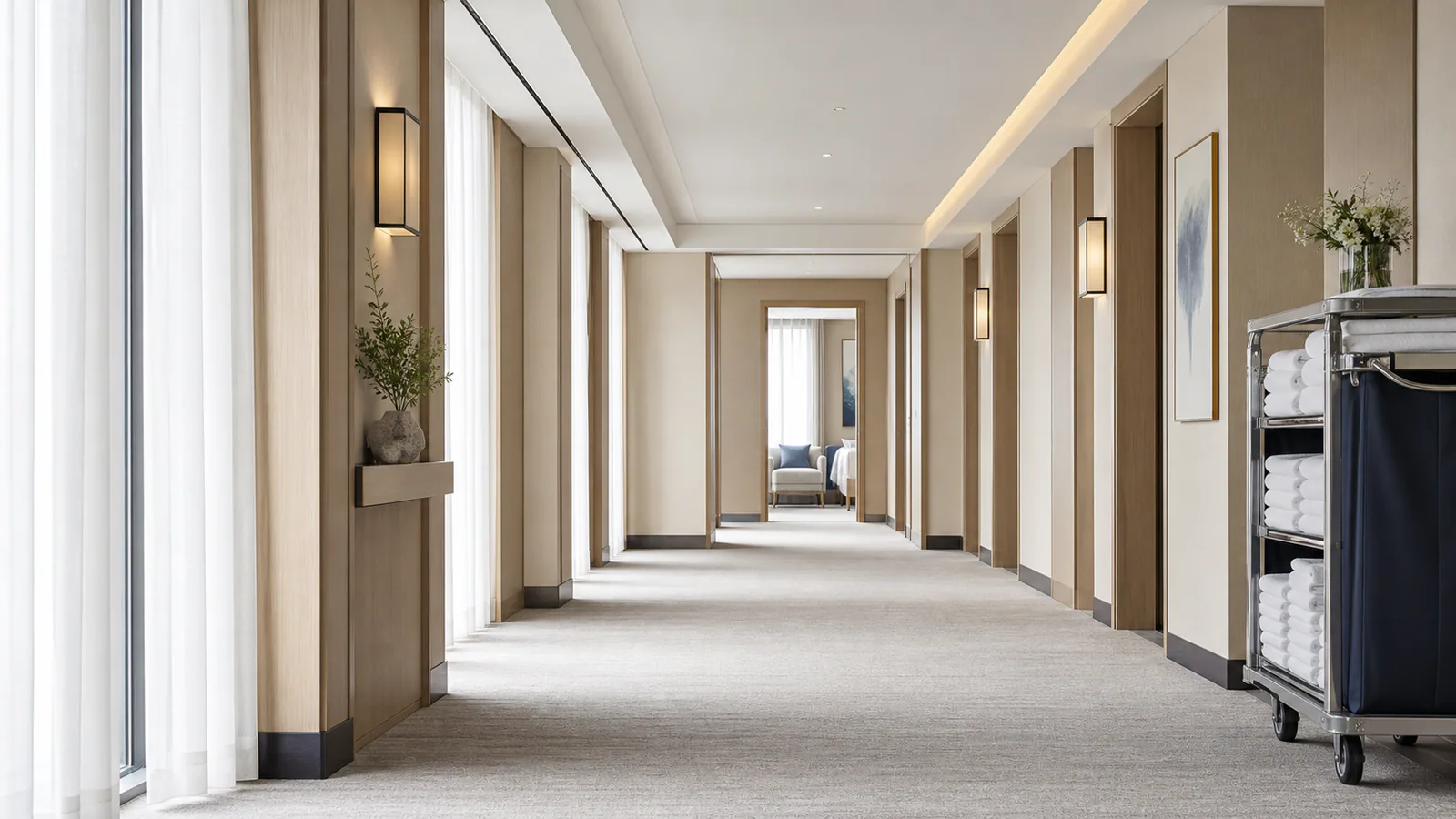
Today at a glance
Arrivals, departures, stayovers and open room work at the start of a shift.
Front desk on your phone
From new booking to cancellation, plus check-in and check-out.
27 push events
Everyone chooses what they hear about, with quiet hours.
App lock
Protected by PIN or biometrics, sign-in with Nextpulse ID.
Check in room 204 without walking back to the desk.
In the app you see the booking with stay, room, price and open balance, open the guest profile and record a payment. You create, change or cancel bookings and check guests in and out. Guests, companies, guest registration, invoices and quotes are there too.
- Create, change and cancel bookings
- Check-in and check-out
- Guests, companies and guest registration
- Invoices and quotes
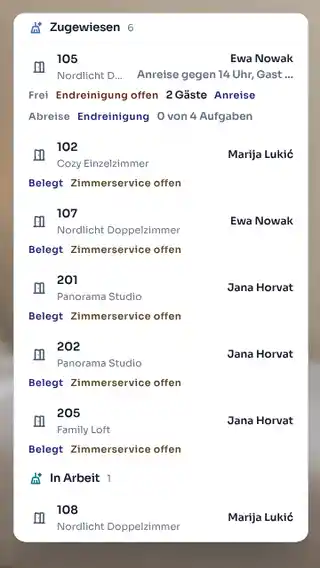
Mark the room ready where the room is.
Housekeeping opens the day plan, sees their assigned rooms with status and tasks and marks them ready on the spot. Front desk sees the new status in the calendar right away. Room blocks can also be created straight from the phone.
- Day plan with assignments
- Room status with one tap
- Rooms and room blocks
- Same data as front desk

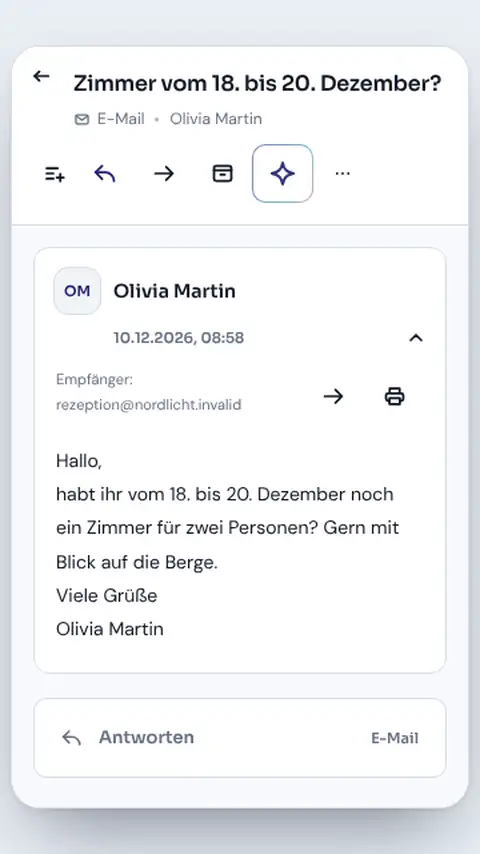
Answer guest questions while you are out and about in the house.
Conversations from STRYK Inbox appear in the app with booking and guest. With STRYK Guest AI you review reply suggestions on your phone and accept or discard them. If STRYK AI Hotel Assistant is active, you can ask it about the day while on the move as well.
- Conversations linked to bookings
- Review queue for Guest AI suggestions
- STRYK AI Hotel Assistant in the app
- Push for new messages
Rota, hours and rate recommendations in the same app.
Staff see their rota, record their working time, request leave and write in team chat. Department heads use “Plan week” on the move too. Management reviews rates and rate plans and accepts recommendations from Intelligent Pricing.
- Rota, week planning and absences
- Record working time
- Tasks and team chat
- Rates, rate plans and recommendations
Your phone, your permissions, your lock.
You sign in with your Nextpulse ID and see only what your role allows. The app locks with a PIN or biometrics, and if you look after several properties you switch hotels right in the app. We built the app for work around the property: you handle setup such as Website Studio, channel connections, cash register closing or bank reconciliation in the browser or in STRYK Desktop.
- Sign-in with Nextpulse ID
- Same roles and permissions as in the browser
- App lock with PIN or biometrics
- Hotel switch for several properties
Who works with it.
Housekeeping
Works through their own plan at the room and updates the status with one tap.
Front desk and night shift
Check guests in, answer messages and take payments away from the desk.
Owner and management
See the day, review rates and approve suggestions wherever they are.
Part of your complete system.
We did not build the app as a second system. It is STRYK on your phone.
Common questions: STRYK Mobile
What is STRYK Mobile?
STRYK runs in the browser, including on smartphones and tablets. The STRYK app for iPhone and Android is included at no extra charge. STRYK Mobile describes how front desk, housekeeping and management use STRYK while away from the desk.
Is there a STRYK app for iPhone or Android?
Yes. The STRYK app for iPhone and Android shows today, bookings and guests, room status, messages and team. You sign in with your Nextpulse ID and work with the same data as on the reception computer. You can also open STRYK in the browser on any smartphone or tablet.
What does the team see at the start of the day?
The daily overview brings together arrivals, departures, stayovers, occupancy, unread guest messages and pending room work. In the browser on a smartphone you see the same data as on desktop.
Can front desk manage bookings on a smartphone?
Yes, in the browser. Authorised employees find bookings, review details, create reservations and manage stays. Guest, room, dates, rate, payment and status follow the same rules as on desktop.
Can housekeeping work with a smartphone?
Yes, in the browser. The housekeeping plan shows rooms from real occupancy with priority, tasks and assignment. Employees complete tasks, report room status and update front desk without an additional call.
Are room status and housekeeping tasks immediately visible in the PMS?
Yes. On a smartphone you work in the same STRYK as on desktop, just on a smaller screen. A completed or released room appears where front desk prepares the next check-in; there is no second data state.
Show more questions
Can the team manage guests and messages on mobile?
Yes, in the browser. Guests can be found, created and opened in the appropriate profile. Messages remain connected to the correct stay, so replies can be checked against travel dates and booking context.
Will I receive push notifications on my smartphone?
Yes. Push notifications for messages, bookings and rooms come from the STRYK app for iPhone and Android. In the browser you see new bookings, messages and tasks as soon as you open STRYK.
Can management review occupancy and operations on the move?
Yes, in the browser. Occupancy, availability, bookings, open work and reports are available on a smartphone too, according to role. Management can review an exception without returning to an office computer for every update.
Can rates and availability be controlled on mobile?
Authorised roles can reach availability, capacity limits, rate views, rules, rate plans and discounts in the browser on a smartphone too. Sensitive changes remain tied to permissions, period and the affected hotel product; larger pricing work is easier on a bigger screen.
Are finance and reports available on mobile?
Finance workspaces and reports are available to authorised users in the browser on smartphones and tablets too. Open balances, documents or key figures can be reviewed while the connection to bookings and guests is preserved.
Can the booking engine be managed on mobile?
Authorised employees can reach booking-page management, publication status and the online check-in and kiosk areas in the browser on a smartphone too. Central room, pricing and property information is still maintained in its authoritative place in STRYK.
Which booking sources can management see on the move?
Bookings and revenue can be reviewed by source. Management can see the share of direct bookings and portals without returning to the office computer for daily control.
Does every employee need an individual account?
Yes. Personal accounts make roles, settings and completed actions traceable. Shared team logins undermine this security and accountability principle and should not be used in hotel operations.
Do I need to install anything on my smartphone?
No. Open STRYK in the browser on your smartphone or tablet and sign in with your personal account. If you prefer, install the STRYK app for iPhone and Android, included at no extra charge.
What happens with a poor internet connection?
STRYK needs an active internet connection in the browser. A change counts as saved only once STRYK confirms it; without a connection, STRYK does not show false success.
How does STRYK protect sensitive hotel data on the phone?
Access follows the personal role and the signed-in session, in a smartphone browser just as on desktop. Sign-in with a second factor is available. Sign out of shared devices at the end of a shift.
Which languages does STRYK Mobile support?
The same interface languages are available in a smartphone browser as on desktop. Guest and document content is controlled separately within each process.
Does the hotel need to buy mobile features separately?
No. Using STRYK in the browser on smartphones and tablets is part of the STRYK core price, with no setup fee or separate mobile surcharge. The STRYK app for iPhone and Android is included at no extra charge. Optional AI modules and mobile network, device, payment or other external partner charges remain separate.
How does a property start with STRYK Mobile?
Each employee receives a personal account with the right role and opens STRYK in the browser on a smartphone or tablet. Together you test the key front-desk, housekeeping and management workflows once in practice.
How should a small hotel roll out STRYK Mobile?
A small property should begin with two clear roles and one real daily workflow: front desk reviews arrivals and housekeeping processes assigned rooms. Further management and specialist areas follow once status and handover work reliably.
How should the hotel test the mobile workflow before launch?
A safe test covers sign-in in the browser, permission checks, the daily overview, one housekeeping assignment, a status change, a guest message and the visible update on desktop. Testing uses only purpose-built, non-personal sample data.
What is the main advantage over messaging apps and paper lists?
A message says what someone should do; STRYK also shows the authoritative hotel state, responsible person, processed item and result. That is what turns coordination into a traceable workflow.
Take your hotel down the corridor.
Try STRYK for 14 days with your own property, or we will show you the STRYK App in a demo.
