

You ask how October is going. STRYK answers with real figures.
As an owner or general manager you want to know where the property stands today and what the next three weeks look like, without stitching exports together. We show you occupancy, revenue, open balances and staffing needs from the same data your team works with. With STRYK Controlling you plan budget and liquidity, and the STRYK AI Hotel Assistant delivers Hotel Insights compared with the previous period.

Figures from the server
STRYK calculates the values in Hotel Insights itself, not the AI model.
Planning with scenarios
Budget, forecast and liquidity in the STRYK Controlling module.
Prices within limits
Intelligent Pricing recommends with reasons, inside your limits.
Hand over responsibility
Roles, owner rights and an activity log for every change.
Every area has its figures. All from the same source.
For bookings, rooms, guests, finance, rates, Booking Engine and channels, you pick a period and see the values at once, exportable as XLSX, CSV or PDF. Occupancy and revenue come from the same bookings and invoices that reception and accounts work on. We deliberately did not build a second set of numbers for you to reconcile.
- Module reports by period
- Export as XLSX, CSV or PDF
- Payment and fiscal data export
- Activity log with export
“How did September compare with August?”
In the STRYK AI Hotel Assistant you ask for figures in your own words. Hotel Insights answers with verified figure cards: period, equally long previous period, currency and data status, calculated on the server from the same module reports as your analytics. If a value is missing, we leave it unknown instead of guessing.
- Comparison with the previous period, up to 370 days
- Sources on every answer
- Only with your permissions
- In the STRYK App too
Budget, scenario and liquidity, before the bank asks.
Under Finance you see revenue, costs and result month by month. With the STRYK Controlling add-on you set a budget and track it through the year, play through a weaker shoulder season or a new price level in the scenario studio, and see in liquidity planning when things could get tight. You compile the management report in the editor and send it to shareholders or family.
- Budget monitoring
- Forecast with scenario studio
- Cost allocation
- Management report with distribution
Recommendations with reasons. Automation only within your limits.
Intelligent Pricing reads the booking curve, demand anomalies and local events and suggests rates with a reason. In Suggest mode you accept several recommendations at once, or you let Automatic run, with a daily limit and hard bounds per category. The history shows every change, and the backtesting simulation shows how a strategy would have behaved in the past.
- Off, Suggest and Automatic modes
- Daily limit of ±5% by default
- Local events with effect before and after
- Forecast with confidence

You hand over responsibility and still see what happens.
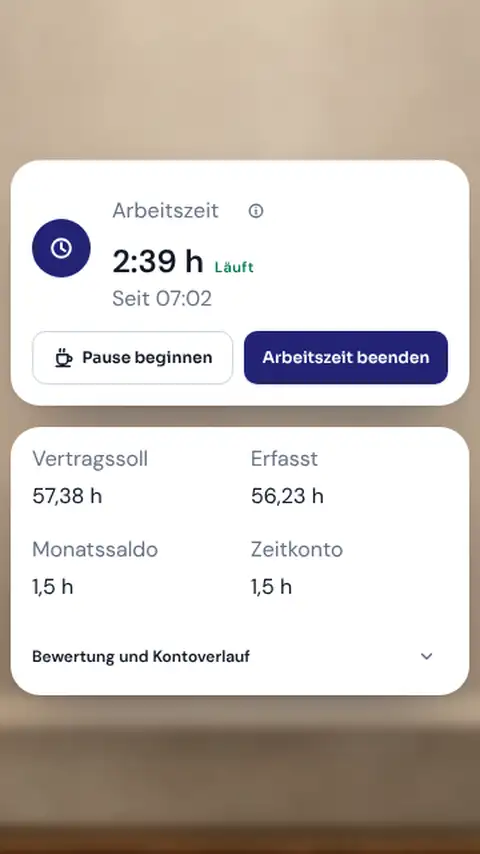
Roles determine who changes prices, cancels invoices or sees reports. Nobody grants more rights than they hold themselves, and some rights remain reserved for the owner. In the roster you see arrivals, occupied rooms and events as planning context, and the planned-versus-actual comparison shows where hours diverge. You post open positions with STRYK Jobs on your website, and applications are seen only by the people you authorize for them. You book additional modules yourself in the contract area, with price calculator, free trial and digital signature, and if you run several hotels, you switch between them with the same Nextpulse ID.
- Fine-grained permissions per role
- Minimum staffing per season
- Plan-versus-actual working time
- Book add-ons yourself in the contract area

Run several hotels as if they were one.
If you run a hotel group or a chain, your team works in STRYK with one login for all properties. Guests have a profile across all hotels, the reservation books centrally, and your reports combine the figures.
One login for all properties
Your team logs in once and switches between the hotels it has access to.
Cross-hotel guest profiles
A regular guest has the same profile in every hotel, with all stays and preferences.
Central reservations
Your reservation creates bookings for each hotel in the group, from one view.
Combined reports
Occupancy, revenue and key figures of all hotels together, and of each hotel individually too.
Manager daily report
The flash report shows you occupancy, average daily rate and revenue per available room in the morning.
Market segments and statistics
Segment reports and the reports to Statistik Austria and Destatis come from the same bookings.
Who works with it.
Owner
Sees figures, budget and liquidity and keeps the rights reserved for the owner.
General manager
Steers rates, staffing and departments with the same data as the team.
Department head
Plans shifts by occupancy and sees where hours deviate from the plan.
Steering from the complete system.
Our principle: figures, assistant, pricing and team work from one data set.
Common questions: STRYK for owners and management
Which KPIs does STRYK show hotel management?
You see occupancy, revenue, average daily rate, RevPAR, open balances and the status of arrivals and housekeeping. The figures come from the same bookings and invoices the front desk and back office work with. You export reports as PDF, Excel or CSV.
Does Intelligent Pricing change our rates without us?
Only if you set it up that way. You decide whether each recommendation is approved individually or whether recommendations are applied automatically within your minimum and maximum limits. The basis is your own data such as occupancy, pickup and pace. The module does not automatically read competitor rates.
What does Intelligent Pricing cost?
Current prices are on the [pricing page](pricing).
Can we trace who changed a rate or an invoice?
Yes. The activity log records who changed a booking, a rate or an invoice and when. Issued invoices remain unchangeable in any case and are only corrected through a credit note. With roles and permissions you also decide who is allowed to make such changes at all.
Does every additional staff login cost extra?
No. STRYK charges per room, not per user. Whether five or 25 people work in the system does not change the price. So you can give seasonal staff, temps and your accountant their own logins with suitable permissions instead of sharing passwords.
What does STRYK cost for a hotel with 30 rooms?
There is no setup fee, and you can test for 14 days.
Look at your figures in STRYK, not in five spreadsheets.
Try STRYK for 14 days, or we will show you in a demo how reports, rates and team connect.
