

Set it up properly once. The same values everywhere in your hotel.
You set up your hotel once, and every area works from the same values: hotel details, company and tax, check-in fields, mailboxes, services, calendar colours and housekeeping all live in one place. We built the settings so that reception, invoices, website and the daily plan use these values automatically. STRYK saves changes by itself and shows you whether it worked.
One place per setting
Logo, address and payment methods are never kept twice in different modules.
Saved automatically
A visible status shows saving, success or an error.
Personal and hotel-wide
Everyone picks their own language, notifications and screen lock.
Found in seconds
Global search takes you straight to the right setting.
Company details checked once, correct on every invoice.
Hotel name, address, logo and default language apply to navigation, documents and emails. Under Company & invoice you store your VAT ID, tax number, company register entry and legal footer, and tax rates come from the country profile. This is also where you set up your staystryk.com address or your own domain.
- Verify the invoice issuer
- Tax rates from the country profile, with your own overrides
- Logo for documents, quotes and invoices
- staystryk.com address or your own domain

Check-in fields, mailboxes and guest information in one place.
You decide which check-in fields are active or required, with country profiles for Austria and Germany. Mailboxes, signatures and your hotel’s email design are set up under Communication. Breakfast and reception hours and your review link are maintained once as guest information.
- Check-in fields active or required
- Mailboxes shared by role or person
- Extras and services with tax source
- Set up guest registration and online payment
The colours in the calendar mean the same to everyone.
Booking and room statuses get colours that calendar and housekeeping share, and you can reset any change. You maintain the housekeeping team, checklists per room status and stayover and linen intervals centrally. The daily plan uses exactly these values.
- Calendar colours per status
- Housekeeping team and checklists
- Stayover and linen intervals
- Tags for rooms and guests
Everyone sets STRYK up for their own work.
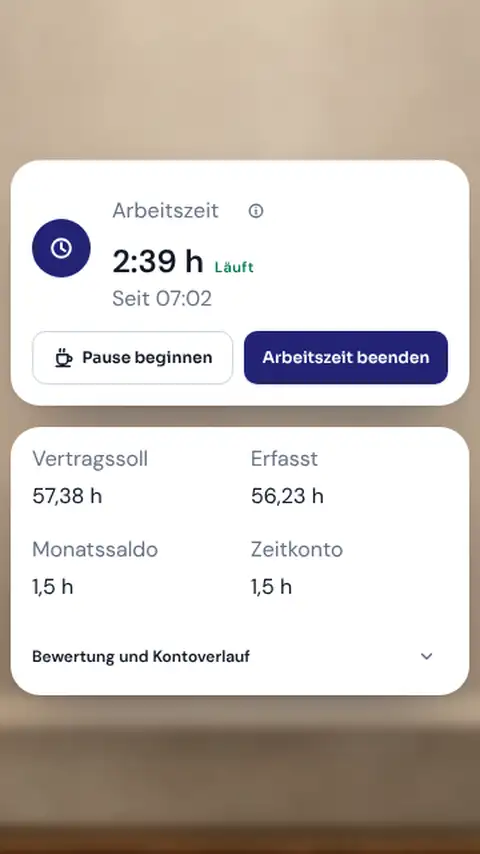
The settings also hold users, roles and permissions, the device list for STRYK Desktop and the activity log. Under My account each person picks their interface language, push notifications for 27 events with quiet hours, and the screensaver with workstation PIN.
- Users, roles and permissions
- Device list for STRYK Desktop
- Notifications per person and event
- Interface in 18 languages
Who works with it.
Owners and managers
Maintain company details, domain and payment methods and verify the invoice issuer before the first invoice goes out.
Head housekeeper
Keeps the housekeeping team, checklists and cleaning intervals up to date for the season.
Everyone on the team
Chooses language, notifications and screen lock for their own work.
Part of your complete system.
Our principle: set it once, and every area works from the same values. What you set here takes effect wherever your team and guests need it.
Common questions: Central settings
What is managed in central settings?
STRYK brings together the property’s authoritative foundations here: master data, logo, language, communication, guest privacy, extras, payment methods, calendar colours, housekeeping, guest registration and personal profile and security options.
Why does each setting have one authoritative place?
So the logo, property address, payment method or housekeeping rule cannot be maintained inconsistently in several modules. STRYK uses the centrally saved state wherever hotel operations need it.
Must every change be saved manually?
Production settings save automatically. A visible state shows whether STRYK is loading, saving or has completed successfully. The team can continue without relying on an unnoticed click.
What happens if a setting cannot be saved?
The error remains visible and is not presented as success. The team can review the entry and save again deliberately instead of later working with an unnoticed outdated state.
Which property and company details belong here?
Property name, company name, address and central contact details are maintained as a shared foundation. Before launch, the property reviews them carefully because they may flow into guest communication and documents.
Where is the property logo used?
The centrally stored logo is available for navigation, documents, quotes and invoices. A change therefore does not need to be repeated at every output location.
Show more questions
What does the property default language control?
It defines the starting language for the hotel team and new output. Employees can then personalise their interface, while exports can use a different language when needed.
Can each employee use STRYK in their own language?
Yes. A personal user choice can differ from the property default. Reception can work in German while a colleague uses the same hotel data in Hungarian or English, for example.
Which languages does STRYK support?
The STRYK interface, documents such as invoices and quotes, and the guest pages are available in 18 languages. Staff language is independent of the language used for guests and documents.
Is the public property address generated from the property name?
No. The desired staystryk.com address is deliberately defined separately. A short, understandable address can therefore remain stable even if the official property or company name changes.
How is a new property address checked?
STRYK normalises the entry and checks whether the address is available. Normal changes are limited to two per calendar year so links, guest communication and the direct-booking journey do not change accidentally and repeatedly.
Does the property address affect the email sender?
Yes. The chosen property address also forms the basis of the property’s standard STRYK sender. The setting therefore makes clear which public address and sender belong together.
How can guest photo handling be controlled?
The property centrally decides whether guest photos are disabled or may be used as real photos. When disabled, STRYK does not show artificial avatar placeholders as supposed guest images.
Where are extras maintained?
Sellable extras are maintained centrally with their valid details and then used in the appropriate booking or stay context. This avoids conflicting side lists at reception and in direct booking.
Which payment methods can the property control?
The property centrally activates the payment methods it actually offers. Activation of a connected payment provider and its methods remains traceable; external providers may charge their own transaction or contract fees.
Can payment methods be limited by rate plan?
Yes. A rate plan can allow only the available methods intended for it. A lower prepaid rate can therefore be paid differently from a flexible cancellable rate.
What can be configured for calendar and housekeeping colours?
Booking and operational room states receive centrally defined colours for the respective property. Adjustments can be reset; calendar and housekeeping then use the same authoritative colour state.
Where are housekeeping staff and checklists managed?
Exclusively in the central housekeeping settings area. Active staff and tasks per room state are maintained there; the daily plan uses exactly that state for assignments, digital work and PDF.
Which settings are available for guest registration?
The hotel stores the details required for its registration route centrally. STRYK checks guest data, monitors the registration deadline and provides the registration as an export; status and errors remain visible on the record. Direct transmission to Feratel will only follow after acceptance.
Which personal security options are available?
Users maintain their profile and profile photo in their own area in STRYK. They manage their password and second factor in their Nextpulse ID account.
Which display setting remains on this device only?
The screensaver applies to the individual workstation and can also lock the screen. Property-wide settings such as colours, language and workflows remain separate.
How does STRYK support the switch from my current PMS?
For a switch, we review together which data will be transferred, how it maps and which test cases must pass before cutover.
Do central settings or setup cost extra?
No. Central settings are part of the single STRYK offer, with no setup fee and no hidden STRYK module prices. External payment, registration or integration partners may charge their own fees for their services.
Set up your hotel properly once.
Try STRYK for 14 days with your real hotel data, or walk through the settings with us in a demo.
