

Written well once, filled in correctly for every booking.
Confirmation, change, payment received or online check-in: we have written a ready-made email template for every booking event. You adapt it to the tone of your hotel, and placeholders fill in name, travel dates and the open balance. A preview with a real booking shows before sending whether everything is filled in.

STRYK default
A ready template for each of the nine booking events, which you can always reset.
In the guest’s language
Booking emails from the booking engine in 18 guest languages.
Placeholders with context
Only values that can be resolved in that context are offered.
Preview before sending
With a specific booking, so missing values stand out at once.
Nine events, 18 languages, from day one.
For enquiry and confirmation, change, booking information, cancellation, payment received and completed online check-in, STRYK sends a default from the start. When a guest books through your booking engine, the email arrives in their language; you can switch on the welcome email and the automatic invoice email when you need them. Each template is marked as STRYK default or as your own, and resetting to the default brings back the original text.
- Nine booking events
- 18 guest languages
- Missing details drop out instead of staying blank
- Your own template or the STRYK default
The open balance is already in, before you look it up.
STRYK fills placeholders for guest, stay, hotel and payment from the booking in question: name, arrival date, room category, rate, open balance. STRYK only offers placeholders that can actually be resolved in that context, whether in a message, on the booking page or in a PDF. The preview with a specific booking flags any missing value, such as the hotel’s phone number.
- Placeholders for guest, stay, hotel and payment
- Preview with a real booking
- Warning for unresolved placeholders
- Email as plain text or HTML
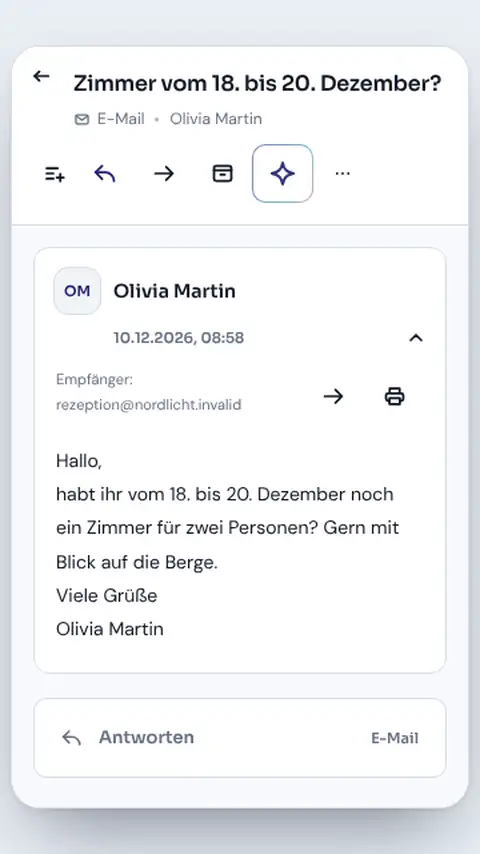
The welcome message is not rewritten every time.
Automations use the same templates as your team. When you update the check-in time or parking note at the start of the season, the new text applies immediately at the front desk and in every automatic message. Your own message templates for free-form guest messages by email and portal come with STRYK Guest AI.
- Same template for team and automation
- Changes take effect immediately
- Portal messages deliberately in plain text
- Message templates with STRYK Guest AI
Even the invoice follows a template, not chance.
For invoices and quotes you pick a template in the template builder, shape content and design, and see the real PDF preview. STRYK checks that the PDF renders cleanly and that the mandatory details under § 11 of the Austrian VAT Act are complete. For special cases you can store your own HTML template.
- Template builder for invoices and quotes
- Real PDF preview
- Check of mandatory details
- Your own HTML template for special cases
Who works with it.
Front desk
Answers recurring questions with the approved template and adds just one personal line.
Management
Sets tone, notes and content once and updates them in one place at the start of the season.
New colleagues and temps
Write in the house style from their first day, without copying old emails.
Part of your complete system.
Templates read the same guest, booking and hotel data as the rest of STRYK.
Common questions: Templates & placeholders
What are templates for in STRYK?
For recurring guest emails and booking channels where content, tone and property data must reliably match.
Which channels do message templates support?
Email and the OTA or booking channel derived from the reservation. The team does not arbitrarily bypass the booking channel.
Can an email contain HTML?
Yes. Email templates can be maintained as plain text or HTML and reviewed before sending.
Why is channel copy plain text only?
So messages respect the rules and display limits of the relevant booking channel; HTML is deliberately not allowed there.
Which data can placeholders insert?
Guest name, stay, room, property contact, prices, payment state, extras, key links and date values, among others.
Which details does STRYK offer for each process?
A guest email offers relevant guest, stay, property and payment details. An invoice or booking page offers only the information genuinely needed there.
Show more questions
Where do inserted details come from?
Directly from the selected guest, the specific booking and maintained property details. An arrival template therefore uses the exact date, room and balance for that stay.
Can I review every detail before sending?
Yes. Preview assembles the subject and message with the selected guest and booking. Missing details are shown before the message is sent.
What happens when a detail is missing?
STRYK marks the missing detail in preview. The team completes the property details or corrects the template before the guest receives the message.
Can I maintain subject and message separately?
Yes. Email templates keep subject and body separate; channel messages focus on the permitted plain text.
Can I activate and pause templates?
Yes. Only approved templates appear in daily hotel work. Drafts and outdated versions remain paused until they are reviewed or replaced.
Can I create my own templates?
Yes. Name, channel, format, subject, body and active state are stored for the property.
Can templates be edited or deleted?
Yes, with the appropriate permissions. In operations, pause first, test the replacement and then remove obsolete duplicates.
How does the template selection stay clear for the team?
STRYK shows the team current approved templates with clear field names. Outdated versions can be paused and removed after a replacement has been reviewed.
Are internal notes available as placeholders?
Only where the message context explicitly permits it. Internal data does not belong unchecked in public documents or booking pages.
Can I use one template for multiple bookings?
Yes. The copy stays the same while specific values resolve anew for every booking. Each send must therefore still be reviewed in its stay context.
Do templates replace personal guest communication?
No. They secure recurring facts. Welcome, special request and sensitive situations still need an attentive human review.
Do automations use the same templates?
Yes. Automated guest messages use the same approved copy and booking details. Before launch, the property reviews recipient, timing and the finished message on a test booking.
Are booking engine emails central too?
Booking engine confirmation and cancellation copy is maintained per event and active guest language and follows the same controlled placeholder principle.
How should I test a new template?
With a dedicated test booking: verify language and channel, resolve every value, open links, read on mobile and activate only afterwards.
Who should maintain templates?
One clearly responsible person per property. This keeps check-in time, payment path, contact details and tone consistent while the team safely uses approved copy.
Which permissions protect this area?
Creation, editing and deletion follow the roles of the relevant business area. Daily sending is additionally tied to guest and booking context.
Does the template area cost extra?
No. Templates, placeholders, preview and automation context are part of the single STRYK offer-with no setup fee and no hidden module price. External delivery partners may charge their own fees.
Write your arrival information really well, once.
Try STRYK for 14 days with your own texts, or we will show you templates and placeholders in a demo.
